
Guides
Part of Magazine editorial calendars and issue planning: a guide
How to build a magazine flatplan
Learn how to build a magazine flatplan: lock trim size and page count, place fixed pages and booked ads, assign stories, track status and control late moves.
What to take away
- Lock trim size, binding and total pages before you place a single story.
- Page counts move in folded groups, so a two-page overrun can cost four pages.
- Fixed pages and booked advertising go in first, flexible features last.
- Track page position and production status in separate fields.
- Every move triggers a recheck of folios, contents, jumps and ad adjacency.
A flatplan is a page-level map, not a miniature of the finished design. It records what sits on each page, how the issue flows, and which slots can still move.
Build it as a table: one row per page, and a column for page number, facing page, section, page type, working title, owner, planned length, visual type, status and the date of the last change. Keep one notes column for restrictions such as an advertiser's adjacency request, and leave it empty wherever nothing applies.
Image and credit
The 1909 page shows a finished editorial layout: image, plan, headline, text. It is not a flatplan.
Step 1: lock the container
Record trim size, binding, total pages and cover count. Add the printer's signature requirement, reserved advertising, inserts and gatefolds. Confirm which page counts can still change, and by what date.
Lock the page container
- Record trim size, binding, total pages
- Add printer's signature requirement
- Reserve advertising, inserts, gatefolds
- Confirm which page counts can change
- Set the date they can change
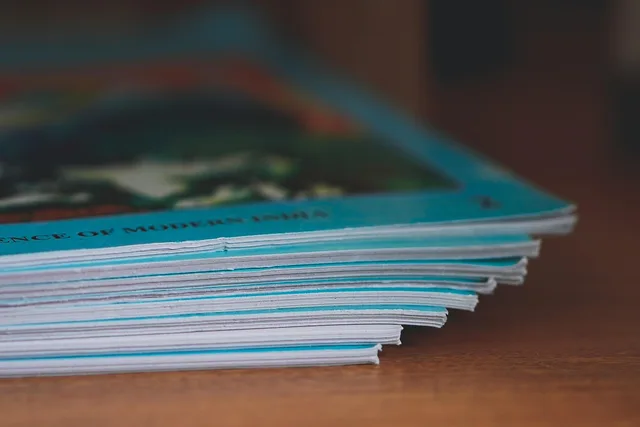
The signature requirement is physical, not administrative. Wikipedia's description of a section in bookbinding defines a section, gathering or signature as sheets folded in half and bound as one unit. One folded sheet gives two leaves and four sides.
So a page budget moves in steps set by the folding pattern. Adding two pages for a longer feature can mean buying a whole folded group. The editor is choosing between cutting copy and paying for several pages at once.
Printers work in folded groups, so the page count has to land on a multiple of four. Commercial presses commonly fold 16-page signatures, and larger presses can fold 32; ask your printer which increments your binding allows before you promise a page to anyone.
Digital-only packages need the same inventory:
- landing pages
- stories
- galleries
- audio
- newsletters
- promotion modules
Step 2: place fixed material
Add covers, contents, masthead, editor's letter, recurring columns and section openers. Then the booked advertising and any legally required notices. Mark every page that carries a placement restriction.
Do not infer an advertiser's adjacency request from an informal message. Use the approved booking record and the published editorial policy.
Step 3: assign flexible stories
Give each story a working title, an owner and a planned length. Add its visual type, start page and page count. Then give it a status. Alternate dense and light spreads: two long text features back to back need a visual pause between them.
A strong opening spread loses impact if the page before it creates an accidental pairing.
Columbia University Libraries' publishing schedule worksheet prompts publishers to set dates for calls, submissions, editorial decisions, copy editing, production and publication. Plan each flatplan slot backward from those gates, so a page allocation reflects real delivery dates rather than hope.
Step 4: create status rules
Keep page position and production status in separate fields. A page can be assigned and not ready. A finished story can be ready and unplaced.
| Status | Entry condition |
|---|---|
| Commissioned | Brief agreed, fee and deadline confirmed |
| Reporting | Writer is gathering material and sources |
| Draft received | Copy is in the editor's hands |
| Structurally approved | Named editor accepted order, length and evidence |
| Fact-checked | Every claim checked against a named source |
| Copy-locked | No further text changes without sign-off |
| Designed | Pages built to the agreed grid |
| Proofed | Corrections returned from proofreading |
| Released | Signed off for the printer |
"Structurally approved" means a named editor accepted the order, length and evidence. It does not mean a draft arrived.
Give each state a stall rule. If a feature holds six pages while its verification stalls, the flatplan owner sets a date. On that date the pages either release to a backup or move to a later issue.
Step 5: control changes
Every move triggers a recheck. The recheck covers many items:
- contents listings
- folios
- jumps
- cross-references
- color sections
- image bleed
- printer constraints Record who authorized the change.
Freeze page order at a stated point. After that, use one exception route for moves that cannot wait.
Common questions
These are the questions that come up in every issue cycle. Settle the answers once, and the flatplan stops being a source of argument.
Must the flatplan show exact layouts?
No. It needs enough detail to control page purpose, sequence, status and dependencies. Layout happens later, on the grid.
Who owns the flatplan?
Usually a managing, production or art editor maintains it, under shared editorial and commercial rules. The owner is the person who can say no to a late page request.
Can an article move after design?
Yes, but dependent folios may need review. Contents may need review. Jumps may need review. Ads may need review. Colors may need review. Print imposition may need review. Check the cost of the move before approving it.
What makes a backup page usable?
Approved copy, cleared assets, a known length and a compatible place in the issue. A backup without a cleared image is not a backup.