Guides
Digital magazine accessibility: a practical publishing guide
A digital magazine accessibility guide: format choice, structure, navigation, text, images, color, audio, controls, testing and distribution.
What to take away
- Pick the reading format from how your subscribers actually read, not from how closely it resembles the printed page.
- Carry structure and reading order from the manuscript file through to the delivered issue.
- Write alternatives for the images, charts, audio and video that carry meaning, and leave decorative art unannounced.
- Test with a keyboard, at high zoom, in reflow, and with a screen reader, because automated scores miss most barriers.
- Publish an accessibility statement that names the tested version and a route for readers to report a barrier.
An accessible digital magazine can be perceived, navigated, understood and operated in more than one way. A reader may enlarge the text, change the colors, drive the issue with a keyboard, or listen to it through speech output. Accessibility is a production requirement, not a repair applied after export.
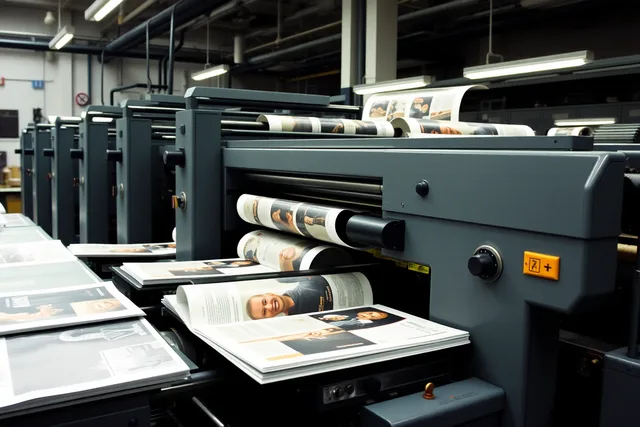
Photo and credit
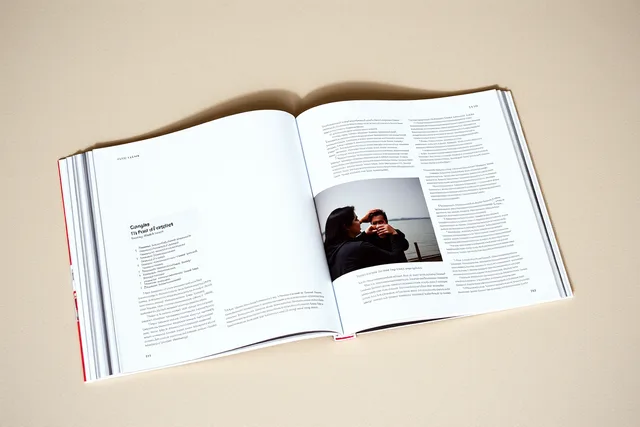
The screen in the photograph shows placeholder text. It does not show this publication, and it does not demonstrate that any particular device is accessible.
Define readers and delivery conditions
Write the access brief before the flatplan is signed off, not after the pages are built. List the languages the issue runs in, the reading systems and devices you support, and the browsers and operating systems you test on.
Then list the assistive technologies you expect readers to bring. Include people who enlarge text, change spacing, turn images off, or use high contrast. Also include those who navigate by headings or listen instead of looking.
Set a target standard and the supported format versions in the commissioning brief. Legal obligations vary by publisher, territory and audience, so take qualified advice before you make any public compliance claim. Even with no claim planned, the production team still needs acceptance criteria it can test against.
Choose formats by reading behavior
What it is good at
- Responsive HTML
- Flexible reading, search, sharing, updates, browser accessibility
- Reflowable EPUB
- Structured content, font and size preferences, speech support
- Tagged PDF
- A fixed page that matches the print layout
- Fixed-layout replica
- Protects art direction and complex spreads
What it costs you
- Responsive HTML
- Needs a content management system that outputs clean markup
- Reflowable EPUB
- Reading systems render it differently, so test each one
- Tagged PDF
- Needs deliberate semantics, order, alternatives and bookmarks
- Fixed-layout replica
- Restricts reflow and magnification
Offer more than one format when a single one cannot meet both the editorial intent and the access need. Do not label a plain-text extract an equivalent edition if it drops diagrams, captions, sidebars or interactive material. That substitution removes the parts a reader came for.
Format trade-offs at a glance
Responsive HTML
- Good at
- flexible reading, search, sharing
- Costs you
- clean-markup CMS needed
Reflowable EPUB
- Good at
- structure, font preferences, speech
- Costs you
- renders differently per system
Tagged PDF
- Good at
- fixed page matching print
- Costs you
- needs semantics, order, bookmarks
Fixed-layout replica
- Good at
- protects art direction, spreads
- Costs you
- restricts reflow and magnification
Build structure before styling
Use one logical title per page and nest headings in order. I can do this, but I need the source text to rewrite. Please send the original content you want transformed.
Structure checks before styling
- One logical title per page
- Nest headings in order
- Set publication language
- Tag language changes in text
- Keep reading order over visual placement
- Name target standard and level
Set the language for the publication and for any passage in another language. Keep visual placement from overriding reading order: a pull quote floated to the left of the column still has to be read where it belongs.
The W3C WCAG 2.2 quick reference organizes requirements and techniques under four guiding principles. Name the exact standard and level your issue targets. An automated score is a starting point, never a conformance claim.
Make editorial components adaptable
Text and typography
Set real text rather than text baked into an image. Let readers enlarge and reflow the page without hiding content or controls. Keep contrast, line spacing and paragraph separation readable, and avoid instructions that depend only on position, shape, sound or color.
Manual test pass
- Navigate with keyboard alone
- Zoom to 200 percent
- Reflow to narrow viewport
- Check color and contrast
- Change text spacing
- Read with a screen reader
- Open each packaged format
- Test links, tables, alternatives, media
Images and graphics
Decide what each image does before you write its alternative. Decorative art should be ignored by assistive technology. An informative photograph needs a concise alternative. A chart, map or diagram may need a data table or a full description nearby. Captions and alt text are related but not interchangeable.
Audio and video
Provide accurate synchronized captions for spoken words and for meaningful sounds. Supply transcripts for audio, and descriptions when essential visual information is not in the soundtrack. Controls must work without a mouse and expose clear names, states and focus.
W3C's page on captions defines them as a text version of speech and non-speech audio needed to understand the content. They sit inside the media player and stay synchronized with the audio.
That same page notes captions and a transcript carry the same text, so either can be built from the other. Treat the caption pass and the transcript as one editorial job rather than two.
Links and interaction
Write link text that makes sense out of context, so a reader scanning a list of links knows where each one goes. Keep focus visible and its order logical. Avoid keyboard traps, unexpected navigation, automatic audio, and motion the reader cannot stop. An error message should name the problem and the way out.
Test the real reading package
Run the validators, then test by hand. Navigate with a keyboard alone. Zoom to 200 percent. Reflow the page to a narrow viewport. Check color and contrast. Change text spacing. Read the issue with a screen reader.
Then open each packaged format in at least one reading system you support. Check the document title, the language, the heading order and the landmarks. Follow the reading order through the whole issue. Test the links, the tables and the image alternatives. Test the media and the forms, including what happens when a form fails.
Plan usability sessions with disabled readers where you can. One person or one assistive technology cannot represent every access need, but direct use finds barriers that a rule check never will.
Publish and maintain access information
Tell readers the format names before they download, along with file sizes, system requirements and the accessibility features each format carries. State the known limitations plainly. Give a contact route for reporting a barrier, and say what happens after a report arrives.
Keep the accessibility statement tied to the version you tested. When you correct an issue, update the version number, the change log and the distribution record. Where the barrier was material, notify subscribers who received the affected file.
Common questions
Is a digital replica accessible because readers can zoom?
No. Zoom alone supplies no structure, no reading order, no alternatives, no keyboard operation and no captions. A replica that restricts reflow also blocks the readers who need it most.
Does tagged PDF guarantee accessibility?
No. Tags can be missing, wrong, out of order, or disconnected from what is on the page. Someone still has to inspect the file by hand before release.
Should every image have a long description?
No. The alternative should match the image's purpose. Decorative art may need no announced text at all, while a data-rich graphic may need a full equivalent nearby.
Can accessibility be checked only at launch?
No. Templates, components, articles, exports, platforms and later corrections can each introduce a new barrier. Re-test when any of them changes.