Guides
Magazine print production, paper, and prepress: a practical guide
Magazine print production guide covering printer specifications, paper, binding, color, prepress, proofs, press approval, delivery, and issue records.
What to take away
- Write the manufacturing specification before final design decisions are locked.
- Treat paper, ink, binding, page count, and finishing as one physical system.
- Build files to the printer's current instructions, not a remembered preset.
- Use the right proof for the question being asked.
- Preserve approvals, substitutions, and final production files with the issue record.
Magazine print production turns an editorial package into thousands of consistent physical copies. The process is less forgiving than exporting a screen PDF. A change in stock can alter opacity, color, fold behavior, bulk, and postage. A binding choice can change the page plan and the safe area near the spine. A late page count can affect imposition and schedule.
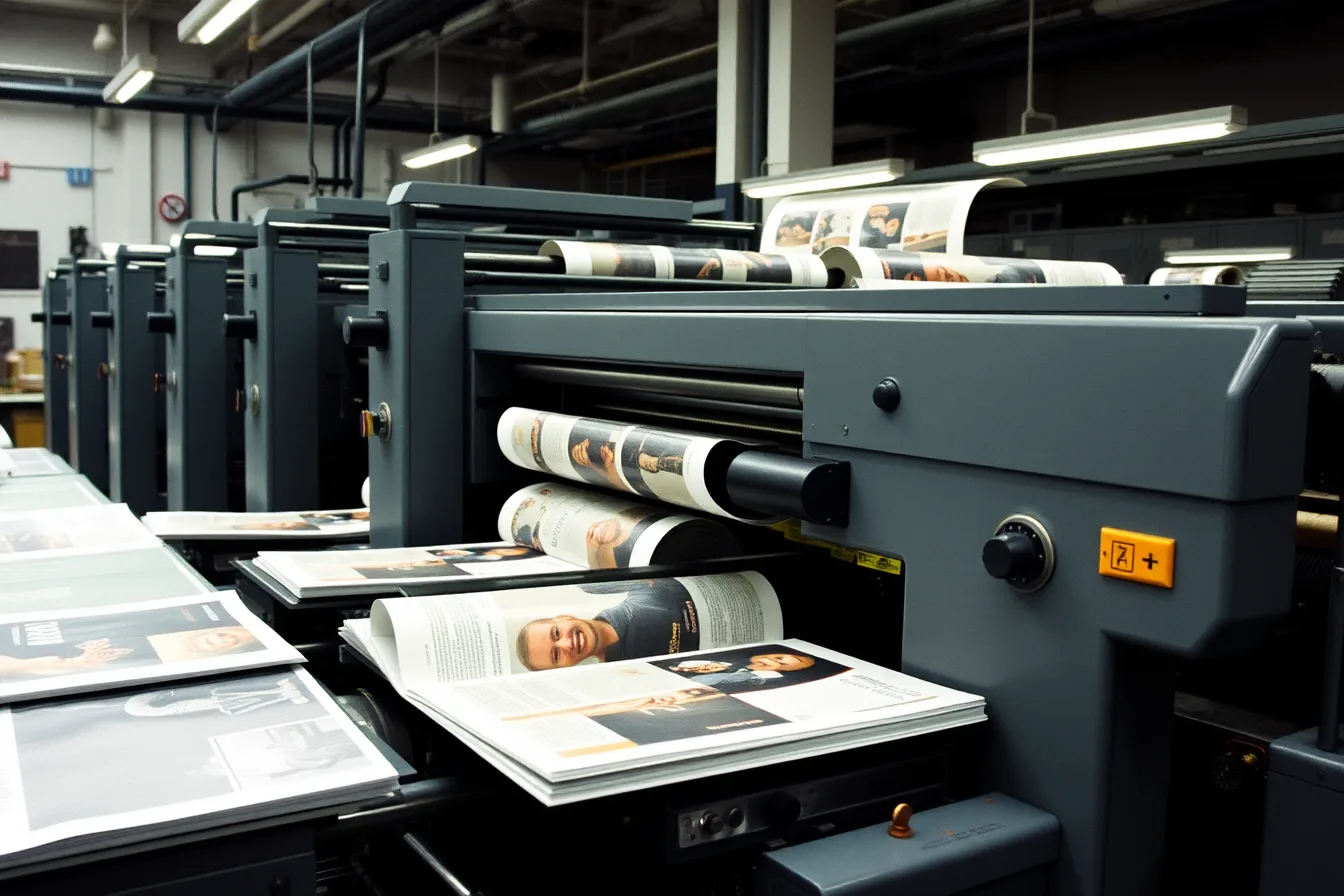
Photo and credit
The photograph shows printing equipment, not the production facility for this publication.
Start with a manufacturing specification
Ask the printer for a written specification and file guide. Record:
Printer specification checklist
- Trim size, orientation, page count
- Binding method and page-count multiple
- Cover and text stocks
- Colors, varnishes, laminates, foil, die cuts
- Bleed, safe area, spine, gutter, creep
- File standard, profiles, ink limits, fonts
- Proof stages, approval, quantity, delivery dates
Do not fill gaps with assumptions. Name the person who can approve a technical change and the latest point at which it can be made without moving the ship date.
Design around the printed object
Set the document to the final trim size. Build the cover only after the printer confirms spine width from the actual page count and paper caliper. Keep folios, captions, and small type away from trims, folds, and binding loss. Review images that cross a gutter at the size and binding they will use.
Coated vs uncoated paper
Coated
- Detail
- Holds fine detail
- Ink
- Sits on surface
- Show-through
- Opacity matters
- Contrast
- Surface affects color
- Folds
- Grain affects folds
Uncoated
- Detail
- Softer detail
- Ink
- Absorbs into sheet
- Show-through
- Opacity matters
- Contrast
- Paper color affects color
- Folds
- Caliper affects bulk
Paper is part of the image system. Coated sheets usually hold fine detail and ink differently from uncoated sheets. Opacity affects show-through. Surface and paper color affect perceived contrast and color. Grain direction and caliper affect folds, bulk, and how the issue opens. Request physical samples when those properties matter.
Control files before handoff
Keep one approved production source. Remove unused spot colors, name intentional spots clearly, and separate technical dielines from printable art. Check effective image resolution at final size, embedded or outlined fonts according to the printer's rule, transparency, overprint, black construction, rich-black recipes, and total ink limits.
Preflight file checks
- Remove unused spot colors
- Name intentional spots clearly
- Separate dielines from art
- Check image resolution at final size
- Embed or outline fonts per printer
- Check transparency, overprint, black, ink limits
- Export fresh PDF after corrections
Most magazine printers want a PDF/X file. Wikipedia's PDF/X entry calls it a subset of PDF built for graphics exchange, with printing requirements ordinary PDF lacks. PDF/X-1a demands embedded fonts and CMYK or spot color; PDF/X-3 also accepts calibrated RGB.
The file must carry an identifier naming which version it conforms to. The printing condition, or output intent, has to be stated inside the file.
Use the printer's supplied job options and preflight profile rather than a preset remembered from another job. Export a fresh final PDF after every approved correction. Do not patch a production PDF casually and lose the relationship to its source file. Give the delivery a clear version, date, page range, and contact.
Match each proof to a decision
Best use
- On-screen review
- Content, links, page order, obvious image faults
- Calibrated soft proof
- Profile-based color judgment
- Contract color proof
- Agreed color target for defined conditions
- Folded dummy
- Trim, pagination, bulk, binding, crossovers
- Press sheet
- Live press balance and registration
What it cannot settle alone
- On-screen review
- Final paper color and press behavior
- Calibrated soft proof
- Texture, opacity, binding, physical size
- Contract color proof
- Every stock and finishing effect
- Folded dummy
- Final ink color
- Press sheet
- Problems hidden elsewhere in the run
Label every proof with its purpose. An editor approving copy should not be recorded as approving color. A color approver should know the viewing light, profile, paper simulation, and tolerance being used.
Proofs and their limits
Proof
- On-screen
- Content and order
- Soft proof
- Profile color
- Contract proof
- Agreed color target
- Folded dummy
- Trim and binding
- Press sheet
- Live press balance
Best use
- On-screen
- Paper color
- Soft proof
- Texture and binding
- Contract proof
- Every stock effect
- Folded dummy
- Final ink color
- Press sheet
- Hidden run problems
Cannot settle
- On-screen
- Soft proof
- Contract proof
- Folded dummy
- Press sheet
A calibrated proof is only as good as the chain behind it. Wikipedia's account of color management gives three steps: characterize each device with a profile describing how it reproduces color, standardize those profiles against a common reference space, and translate between devices through a color management module.
It distinguishes characterization, which describes a device, from calibration, which adjusts it. Ask the printer which of those two happened, and when.
Approve changes without losing control
Create a correction log with page, problem, requested action, owner, time, and verification status. Require a new proof for any change that can affect pagination, color separation, trapping, overprint, trim, or binding. If the printer proposes a stock, ink, press, or schedule substitution, record the practical effect and obtain named approval.
At press approval, compare sheets with the agreed proof under suitable lighting. Inspect neutrals, skin tones, dark detail, small reversed type, registration, scumming, setoff, hickeys, and consistency across the sheet. Agree on what constitutes an acceptable match before the press is running.
Close the issue record
Keep the final imposed or printer-returned production PDF when supplied, approved proofs, correction log, paper and finishing specification, purchase order, delivery note, and a representative finished copy. Record any variance so the next issue starts with evidence instead of memory.
Common questions
Should a magazine send native layout files or a PDF?
Follow the printer's instructions. Many workflows use a validated PDF, while some complex jobs also require packaged source files or linked assets.
Is a high-resolution PDF automatically print ready?
No. Resolution is only one condition. Color, fonts, bleed, overprint, page geometry, transparency, and the required PDF standard still matter.
Can the printer choose the paper for the publisher?
The printer can recommend and source stock, but the publisher should approve the exact specification and any substitution in writing.
Who owns the final approval?
Name one production decision-maker and separate editorial, color, commercial, and legal approvals where their responsibilities differ.